Disclaimer: I am not affiliated with any of the brands or products mentioned in this post, and I do not receive any compensation for the links provided. These links are included solely for your convenience to help you find more information.
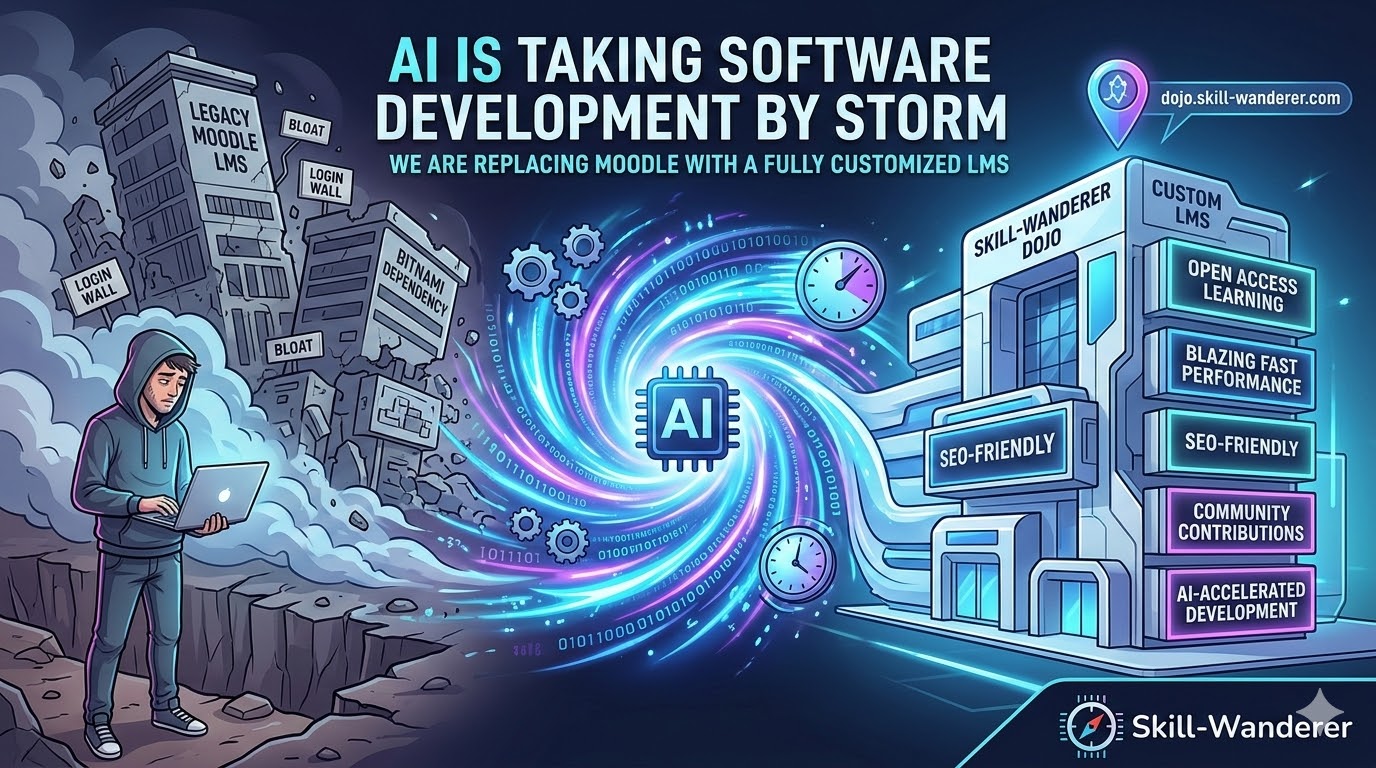
Watch the Video Version or Listen to the Podcast: If you prefer video content, here’s the complete video version of this post:
Or if you prefer audio format, you can listen to the podcast version on Spotify:
📑 Slide Version: Prefer a slide deck? View the presentation below or download the PDF.
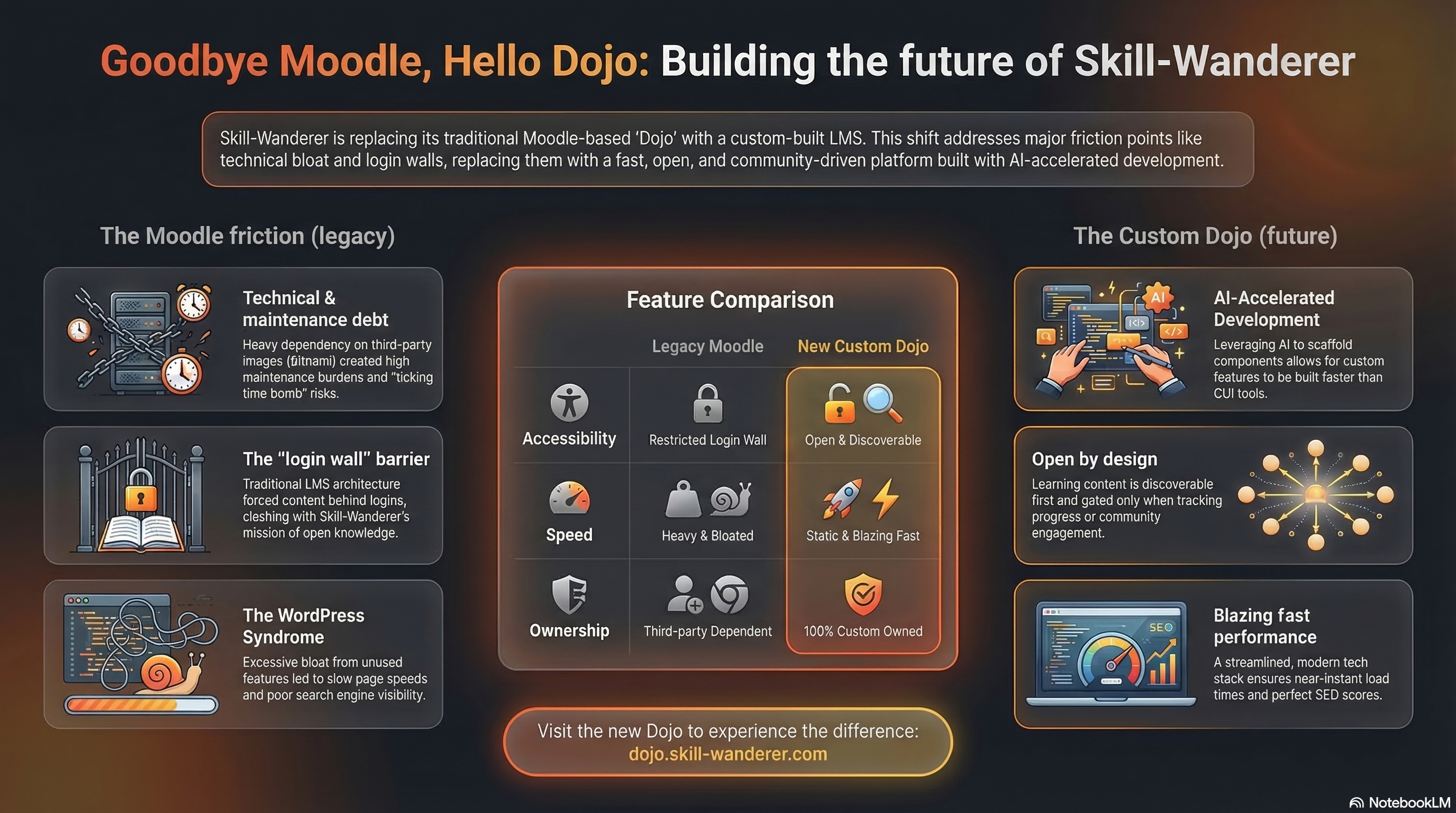
🖼️ Infographic: Get a visual overview of why we’re building our own LMS:
AI Is Taking the World of Software Development by Storm
Let’s not mince words: AI is taking the world of software development by storm. If you’ve been paying any attention to the tech landscape over the past year, you’ve seen it everywhere — AI coding assistants, AI-powered code reviews, automated testing, and even entire applications scaffolded by conversational agents. What used to take weeks now takes days. What used to take days now takes hours. The barrier to building custom software has never been lower.
For those of us in the trenches — the builders, the makers, the ones who get their hands dirty with code — this shift isn’t just interesting. It’s transformational. It means that the calculus of “buy vs. build” has fundamentally changed. Solutions that once made sense to buy off the shelf because building them was too expensive or too slow? That equation no longer holds in many cases.
And this revolution is exactly what gave us the confidence to make a bold decision for Skill-Wanderer.
We are replacing Moodle with a fully customized LMS.
Now, before you raise an eyebrow and think “that sounds like a lot of unnecessary work,” let me walk you through the full story — the pain, the proof, the audit, and the plan. By the end, I think you’ll agree this was not just the right call, but the only call.
A Step Back: Why Moodle in the First Place?
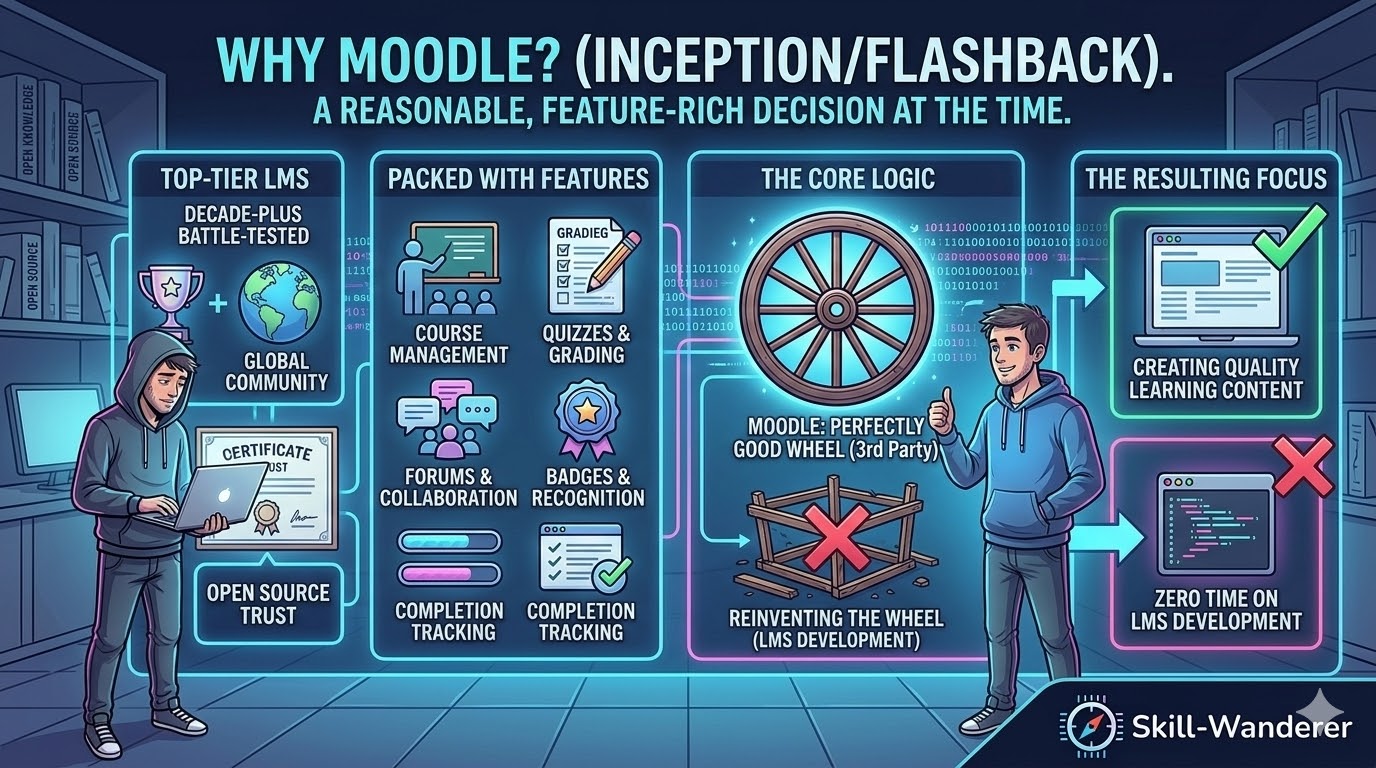
When I first set up the Skill-Wanderer Dojo — our dedicated learning platform — I chose Moodle. And honestly, it was a reasonable decision at the time. Moodle is one of the top-tier Learning Management System (LMS) solutions in the world. It’s open-source, it’s been around for decades, it has a massive community, and it comes packed with features out of the box: course management, quizzes, grading, forums, badges, completion tracking — you name it, Moodle probably has it.
The idea was beautifully simple: use a battle-tested, feature-rich platform so that I could spend zero time on LMS development and pour all of my energy into what truly matters — creating quality learning content for our community. Why reinvent the wheel when a perfectly good wheel already exists, right?
That was the theory. Reality, as it often does, had other plans.
The Pain Points: Why Moodle Had to Go
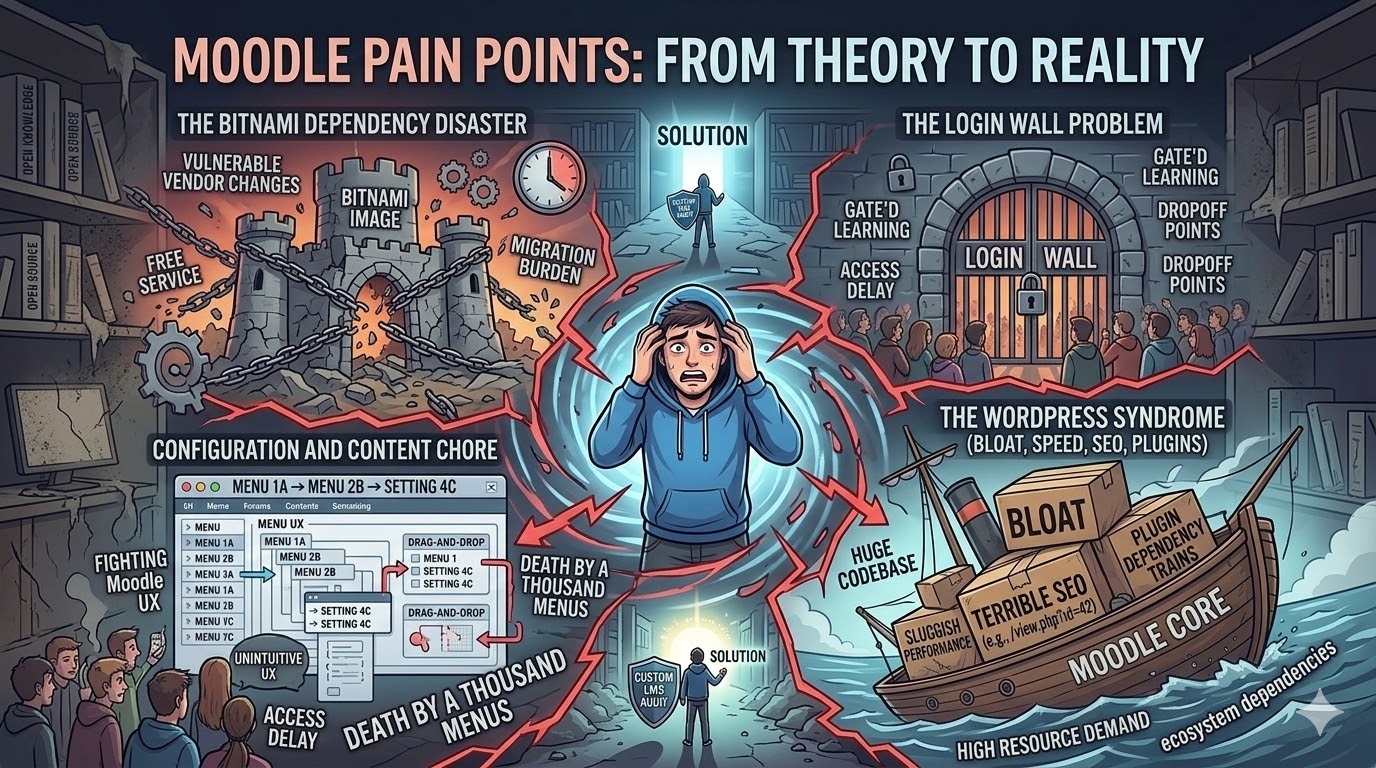
Over months of running the Dojo on Moodle, the friction piled up. What started as minor annoyances grew into fundamental blockers. Let me break down each one, because I think many of you running your own platforms will recognize these patterns.
1. The Bitnami Dependency Disaster
I was running Moodle through Bitnami container images. If you’re not familiar, Bitnami provides pre-packaged, ready-to-deploy application stacks — think of it as “Moodle in a box.” For someone running a home data center on Kubernetes (which, if you’ve been following the Wanderer’s Log series, you know I do), Bitnami images were a godsend. Deployment was straightforward, updates were manageable, and the initial setup was painless.
Until Bitnami stopped supporting free images.
Suddenly, what had been a convenient deployment path became a significant migration burden. The free images we relied on were being deprecated, and the path forward meant either paying for commercial support or undertaking the non-trivial task of migrating our entire Moodle installation away from Bitnami’s packaging.
This is a lesson I’ve learned the hard way more than once: dependency on third-party packaging is a ticking time bomb. When you build your infrastructure on someone else’s convenience layer, you’re at their mercy when they change direction. And in this case, the bomb went off.
Migrating a Moodle instance — with its database, plugins, themes, uploaded content, and configuration — from one container packaging to another is not a weekend project. It’s a grueling, error-prone process that takes you away from everything productive you should be doing. The mere thought of it was exhausting.
2. Configuration and Content Creation Was a Chore
Here’s one that surprised me. Moodle is supposed to be a platform that makes course creation easier — that’s its entire reason for existing. But in practice, the drag-and-drop experience left a lot to be desired.
Every time I wanted to set up a new course module, adjust the layout, or tweak a setting, I found myself navigating through layers upon layers of menus, sub-menus, and configuration panels. Want to reorder your course sections? That’s a multi-step process. Want to change how a resource is displayed? You need to find the right setting buried three levels deep. Want to add a simple text block with some formatting? Better hope the built-in editor cooperates today.
The irony was painful: I was spending more time fighting Moodle’s interface than actually creating learning content. The tool that was supposed to save me development time was eating into my content creation time instead. The drag-and-drop, while functional, felt clunky and unintuitive compared to modern web experiences. For a platform in 2026, the user experience felt like it was stuck in 2010.
And configuration? Every time I needed to adjust a global setting — email notifications, enrollment methods, grading scales, theme customization — it felt like I was diving into an enterprise-grade control panel designed for a university IT department, not a lean non-profit social enterprise trying to move fast.
3. The Login Wall Problem
This one was the real dealbreaker — the final nail in the coffin.
Moodle is fundamentally designed to hide content behind a login wall. That’s not a bug; it’s a feature — or at least it is for traditional educational institutions where enrollment and access control are critical. Universities need to gate their course content because students pay tuition for access.
But Skill-Wanderer is not a university. We are built on the principles of open knowledge and open source. Our core learning content is free. We want learners to discover us through search engines, browse our courses without friction, and only sign up when they want to track their progress or engage with the community. The login wall should be an option, not a requirement.
With Moodle, some of its default behaviors genuinely confused our learners. New visitors would land on the site and immediately be prompted to log in or create an account before they could even see what courses were available. Some course content that should have been publicly visible was inadvertently gated. The enrollment flow added unnecessary steps that created drop-off points.
This fundamentally clashed with everything Skill-Wanderer stands for. Learning should be accessible first, gated never. Moodle’s architecture made it incredibly difficult to achieve this vision without constant workarounds and hacks.
4. The WordPress Syndrome: Bloat, Speed, SEO, and Plugins
If you’ve ever worked with WordPress, you’ll immediately recognize this pattern — because Moodle suffers from the exact same syndrome.
It’s big. The Moodle codebase is enormous, with thousands of files, deep PHP dependency trees, and a database schema that would make any DBA weep. Running it requires significant server resources — memory, CPU, and storage — all for features that we use maybe 10% of.
It’s bloated. Out of the box, Moodle ships with dozens of activity modules, blocks, and features that most installations never touch. You can’t easily strip it down to just what you need. The bloat isn’t just in code — it’s in the database, the admin interface, and the mental overhead of managing it all.
It’s slow. Page load times were noticeably sluggish, even with caching enabled. Every request goes through layers of PHP processing, database queries, and rendering. For a platform that should feel snappy and modern, it felt heavy and lethargic.
The SEO story is terrible. Moodle was never designed with search engine optimization in mind. URL structures are ugly (think mod/page/view.php?id=42), metadata control is limited, and getting meaningful static content indexed by search engines requires significant custom work. For an open learning platform that wants to be discovered organically, this was a critical weakness.
And then there are the plugins. The moment you need any functionality beyond the basics, you’re installing plugins. Each plugin adds its own overhead, its own maintenance burden, its own potential for compatibility issues with future Moodle updates, and its own security surface area. Some of the most useful plugins? They require payment. You’re locked into a growing ecosystem of dependencies, each one making your installation heavier, slower, and harder to maintain.
Sound familiar? If you’ve ever watched a WordPress site slowly collapse under the weight of 30 plugins, you know exactly what I’m talking about.
The Proof: We Already Did This Once
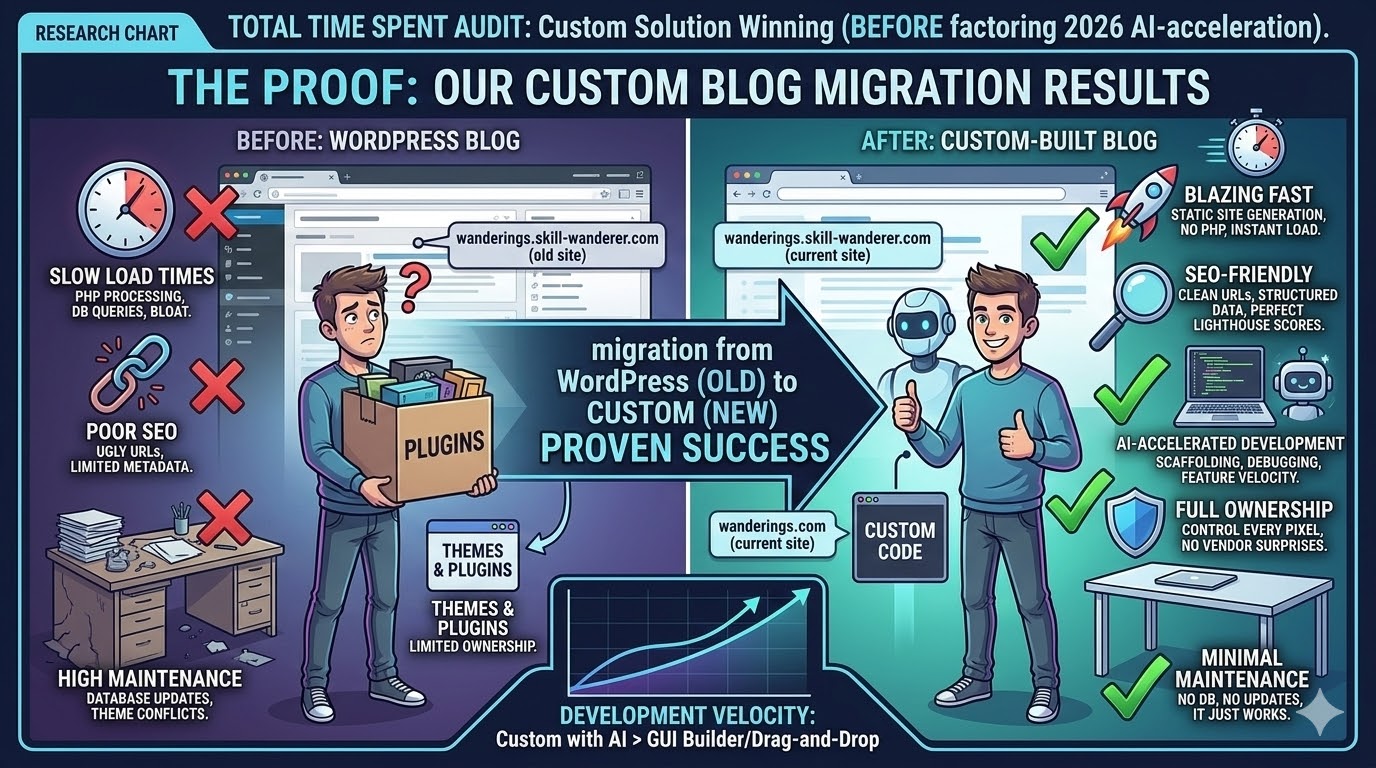
Here’s the thing — this isn’t our first rodeo. If you don’t know already, you might be reading this very post on our custom-built blog at wanderings.skill-wanderer.com. This blog was built specifically to replace WordPress, and the results have been nothing short of spectacular:
- Blazing fast — static site generation means pages load in milliseconds, not seconds. No bloat, no unnecessary overhead, no PHP processing on every request
- SEO-friendly from the ground up — clean URLs, proper meta tags, structured data, responsive design, perfect Lighthouse scores. Search engines love it
- AI-accelerated development — this is the game-changer. With AI assisting at every step — from scaffolding components to writing utility functions to debugging CSS quirks — building custom features is actually faster than dragging and dropping in WordPress. Yes, you read that right. Writing code with AI is faster than using a GUI page builder
- Full ownership — we control every pixel, every route, every behavior. No surprises from third-party themes or plugin updates breaking things overnight
- Minimal maintenance — no database to manage, no PHP to update, no plugin compatibility matrix to worry about. It just works
The blog migration from WordPress was one of the best technical decisions we’ve made. Performance improved dramatically, SEO rankings climbed, development velocity increased, and maintenance overhead dropped to nearly zero.
I ran an audit on both platforms, and the numbers were clear. When I looked at the total time spent — not just development, but all time including configuration, troubleshooting, content management, and maintenance — the custom solution was winning. And that was before factoring in the AI acceleration we’re seeing in 2026.
We’ve proven the model. The question was no longer “can we build a custom LMS?” — it was “why haven’t we done it already?”
The Audit: Why Building a Custom LMS Outweighs the Costs
Before making the switch, I sat down and ran a thorough, honest audit. I believe in data-driven decisions, not emotional ones. So I laid out every argument for staying with Moodle and every argument for building custom. I stress-tested the assumptions. And the conclusion was overwhelming — building a custom LMS now far outweighs the negatives. Here’s the full breakdown:
Time: The Hidden Cost People Don’t Calculate
“But won’t it take forever to build a custom LMS?”
This is the first objection everyone raises, and on the surface, it seems valid. Building an LMS from scratch sounds like a massive undertaking. But here’s what people miss: they calculate the cost of building but forget to calculate the ongoing cost of not building.
The time I was spending on Moodle’s drag-and-drop interface? Hours per course module. The time fighting configurations and troubleshooting Bitnami deployment issues? Days per quarter. The time working around the login wall to make content publicly accessible? A constant, low-grade time drain.
When you add it all up — the configuration overhead, the content management friction, the deployment and maintenance burden, the plugin compatibility troubleshooting — Moodle was consuming far more time than most people would estimate. It was death by a thousand paper cuts.
Now, all of that time gets redirected into building something purpose-built. And with AI accelerating the development process, the initial investment to get a functional custom LMS up and running is dramatically shorter than it would have been even two years ago.
The dependency headaches of relying on third-party solutions like Bitnami? Gone. The hours lost to drag-and-drop interfaces? Gone. The mental overhead of managing a bloated platform? Gone.
Functionality: Building Exactly What We Need
With a custom LMS, I can build features exactly the way I want them — not restricted by Moodle’s ecosystem, not limited by what plugins are available, and not forced to accept UX compromises because “that’s how Moodle does it.”
I know my requirements deeply. I’ve lived with the pain points. I know exactly what our learners need and what gets in their way. That domain knowledge, combined with strong technical skills, means I can build a solution that’s perfectly tailored to Skill-Wanderer’s mission.
But here’s the part that gets me really excited: this isn’t just my project. Building a custom LMS is a fantastic real-world training opportunity for our community members. Instead of theoretical exercises, our learners can contribute to an actual production system that serves a real user base. It’s a hands-on experiment in community-driven microservice development — the kind of experience that looks incredible on a resume and teaches lessons no tutorial can.
And with AI supercharging the development speed? Features that would have taken weeks to implement are landing in days. The pace of development is nothing short of awe-inspiring. We’re not just building an LMS — we’re proving that a small, passionate team with modern AI tools can move faster than a legacy monolith with thousands of contributors.
Pain Points: A Clean Slate
Let me be explicit about what goes away when we make this switch:
| Pain Point | Moodle | Custom LMS |
|---|---|---|
| Third-party dependency (Bitnami) | Locked in, vulnerable to vendor changes | Self-contained, fully owned |
| Content creation UX | Clunky drag-and-drop, buried settings | Purpose-built, streamlined |
| Login wall | Architectural default, hard to override | Open by design, login optional |
| Performance | Heavy, slow PHP rendering | Static generation, blazing fast |
| SEO | Ugly URLs, poor metadata control | Clean URLs, full SEO control |
| Plugin bloat | Growing dependency chain | Only what we need, nothing more |
| Maintenance overhead | Database, PHP, plugins, themes | Minimal, modern stack |
Every single pain point — the Bitnami dependency, the clunky configuration, the login wall confusion, the bloat, the poor SEO — all of it goes away with a solution we fully own and control.
Agile Runs in My Blood
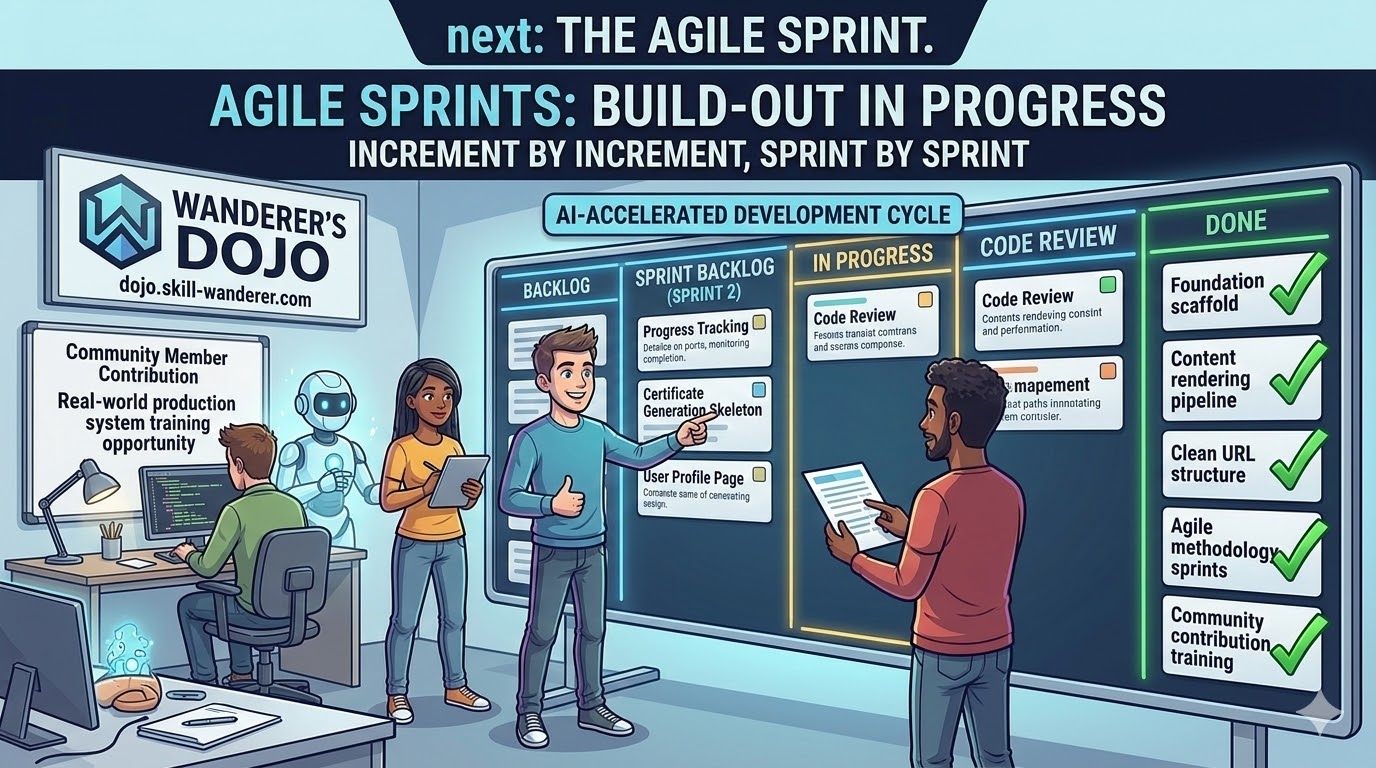
Now, I’m not naive. I know we can’t build a full-featured LMS in a weekend. As someone with agile methodology running through my veins — and years of experience delivering software in iterative cycles — I approach this the only way that makes sense: sprint by sprint, increment by increment.
The goal of the first sprint wasn’t to replicate every Moodle feature. It was to stand up the foundation: the basic architecture, the course structure, the content rendering pipeline, and the deployment infrastructure. Get something live, get something real, and iterate from there.
And here’s something we know well from experience: with AI, the speed to spin up the initial foundation is dramatically faster than the speed of the deep feature development that comes later. The scaffolding, the boilerplate, the configuration, the CI/CD pipeline — AI eats all of that for breakfast. It’s when you get into the nuanced business logic and UX details that the pace normalizes.
But even knowing that — even accounting for the “AI honeymoon period” of rapid initial progress — what we accomplished in the first weekend of development still felt amazing. The skeleton was up. The deployment was working. Content was rendering. The URL structure was clean. It felt fast. And most importantly, it confirmed that this was absolutely the right decision.
The New Dojo Is Live
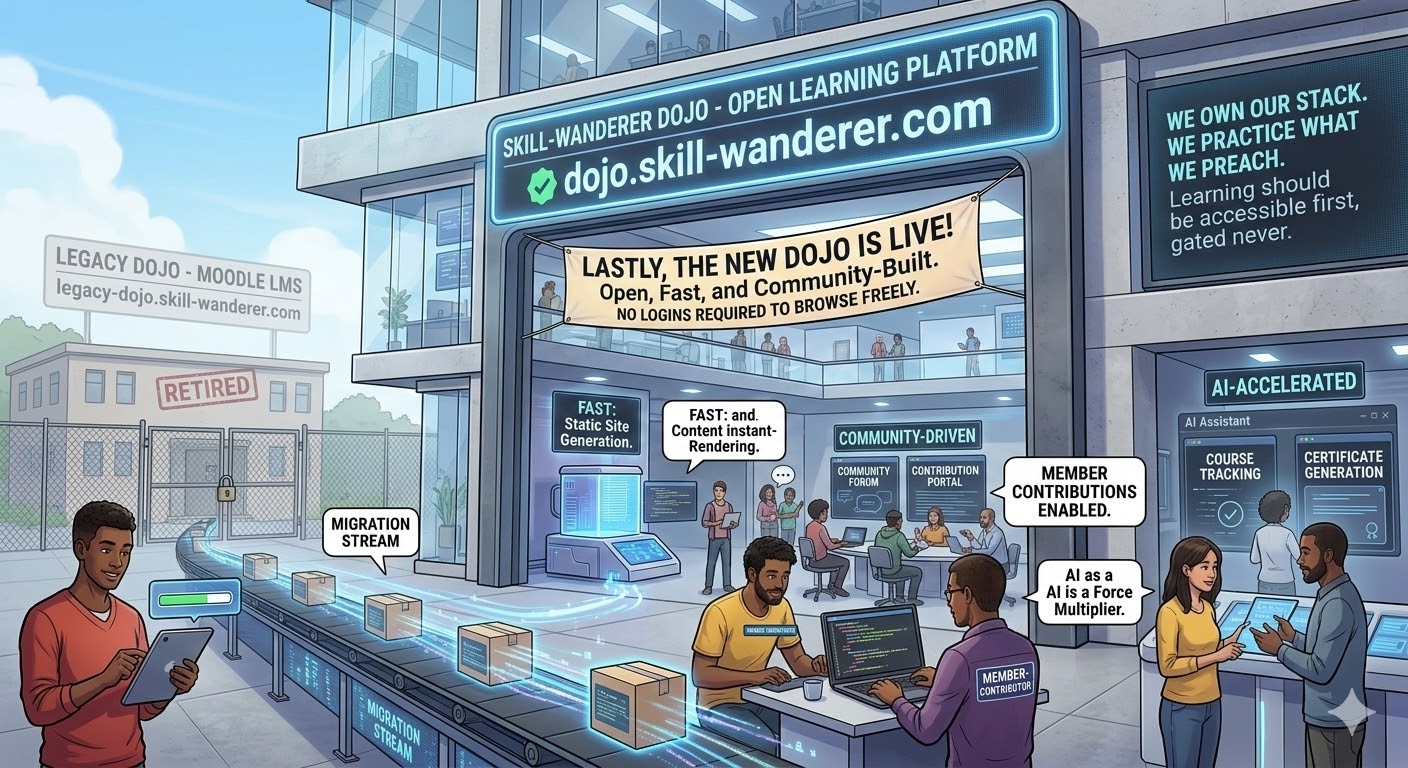
The new Skill-Wanderer Dojo has been spun up and is now live at:
That’s right — it lives at the exact same address as the old Dojo. Same home, brand new foundation. If you visited the Dojo before, you’ll notice the difference immediately. It’s faster. It’s cleaner. It’s more open. And it’s only going to get better from here.
What About the Old Dojo?
We believe in responsible transitions. We’re not the kind of team that burns the bridge while people are still crossing it.
To preserve the legacy content and ensure a smooth migration, the old Moodle-based Dojo has been moved to:
📦 legacy-dojo.skill-wanderer.com
It will remain accessible there until we’ve completed the full migration of all courses and content to the new platform. If you were in the middle of a course on the old Dojo, don’t worry — your content is still there. Once migration is 100% complete and everything has been verified on the new platform, we’ll retire the legacy instance for good.
The Bigger Picture: What This Means for Skill-Wanderer
This migration isn’t just a technical decision — it’s a philosophical one. It’s a statement about the kind of organization Skill-Wanderer is becoming.
We are an organization that:
- Owns its stack — we don’t want to be at the mercy of third-party vendors and their business model changes
- Practices what it preaches — we teach software development, and we build our own software. There’s no better proof of competence
- Embraces AI as a force multiplier — not as a gimmick, but as a core part of how we operate and build
- Prioritizes openness — our content should be discoverable, accessible, and free from unnecessary barriers
- Moves fast with purpose — agile isn’t just a methodology for us, it’s a mindset
Every piece of infrastructure we build in-house becomes a teaching opportunity, a portfolio piece for the community, and a demonstration of what small teams can accomplish with the right tools and the right mindset.
What’s Next
This is just the beginning. Sprint by sprint, feature by feature, we’re building a learning platform that truly embodies what Skill-Wanderer stands for:
- Open — no unnecessary login walls or gates. Browse freely, learn freely
- Fast — lean, purpose-built, no bloat. Every millisecond of load time matters
- SEO-friendly — so learners can discover us through search engines organically
- Community-driven — built with and for the community, with real contribution opportunities
- AI-accelerated — leveraging AI at every step of the development lifecycle
The roadmap ahead includes course progress tracking, interactive exercises, community discussion features, certificate generation, and much more. Each feature will be built with intention — no bloat, no unnecessary complexity, just exactly what our learners need.
Please wait for more amazing things to come. The journey of a thousand steps continues — and this is one of the most exciting steps yet.
Stay tuned for future updates as we build out the new Dojo sprint by sprint. If you want to follow along, visit dojo.skill-wanderer.com to see the new platform in action, and subscribe to our blog for the latest Wanderer’s Log entries. The best is yet to come.